
Cart (
0
)
No items found.
Go to pricingProduct is not available in this quantity.
4CAD Tour turns 3D scanner data and 360° camera photos into a 3D virtual tour that is a single file. Anyone can open it — no app, no licence, no internet. And it is yours for good.
Already have an account? Sign in at tour.4-cad.cz
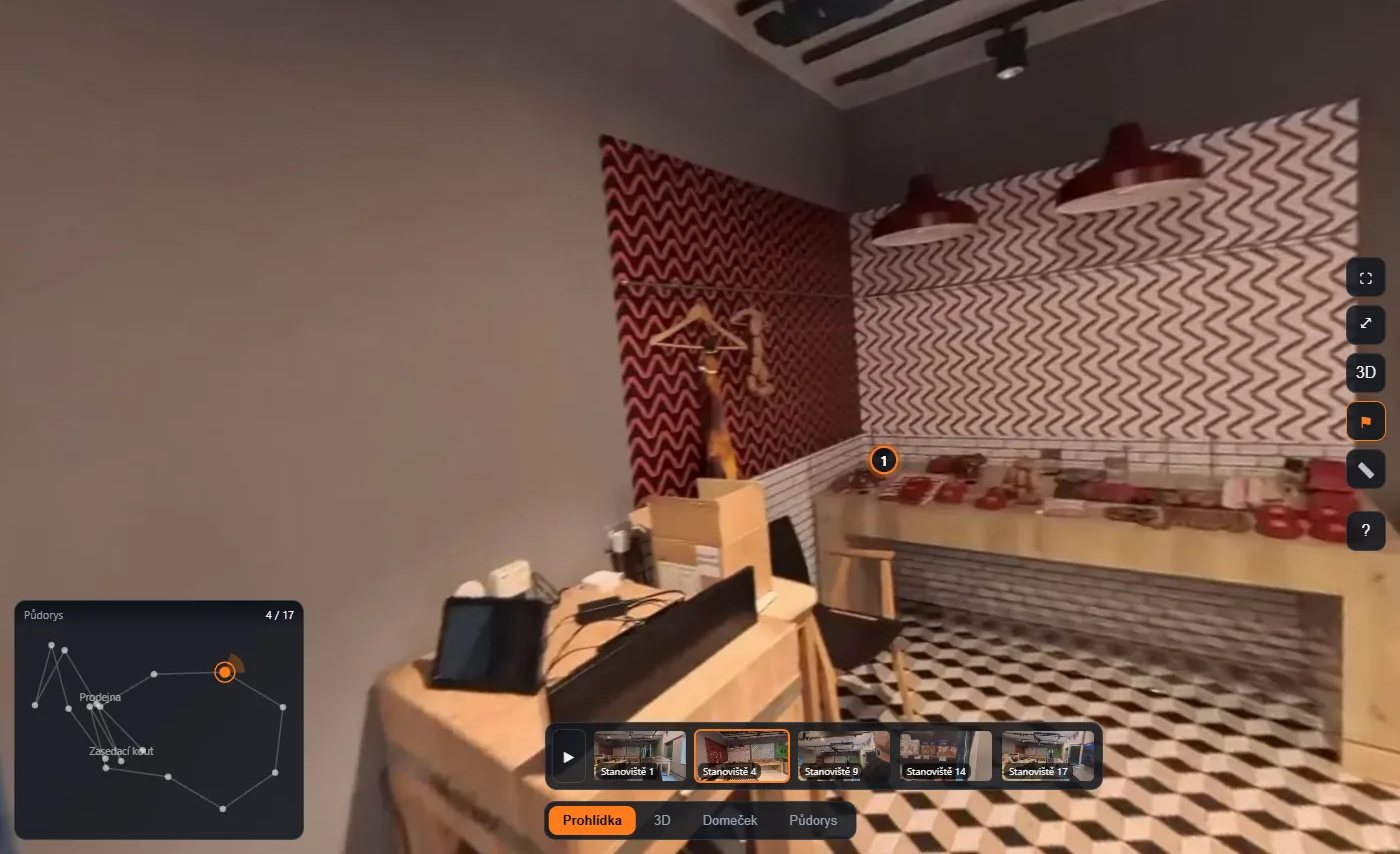
The tour in a browser: panorama, floor-plan minimap with the path and the Tour / 3D / Dollhouse / Floor plan switch.
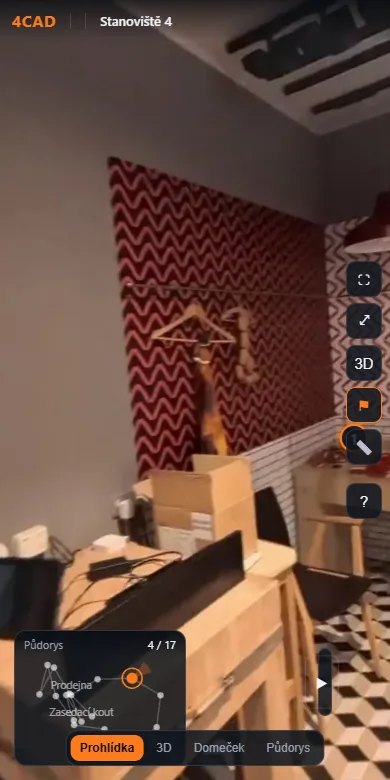
The same file on a phone — touch controls, nothing to install.
You scan a site with a top-end 3D scanner. But the client cannot open the result — they need the manufacturer's app, an account, or they pay a monthly fee just to look at their own data. Stop paying and the tour is gone. And data from a building in Europe sits on a server in the USA.
4CAD Tour turns your data into a single prohlidka.html file. It contains every panorama, the floor plan, the 3D model and the viewer itself.
A browser is enough to build it. The heavy computing (registering photos to the scan, depth from the point cloud, face blurring, the 3D model) runs once on a machine in the EU. You need no powerful computer and install nothing.
No monthly lock on your data. The result is yours and it does not age — open it years later.
Read a dimension for your contractor straight from the tour, on the real scan geometry, instead of sending the team out again.
Two scans of the same place at different times, side by side — proof for invoicing hidden installations before the walls close, and a site inspection without travelling.
Processing and storage in Europe (Scaleway, Warsaw).
FJD Trion, Leica, Faro, NavVis, GeoSLAM and others — units and orientation are detected automatically.
High-resolution photos are the main source (Insta360, Ricoh Theta); the scanner supplies the geometry.
Faces are blurred and the operator removed automatically; tour data is protected against downloading.
Czech, English, German and Polish — in the app and in the manual.
3D building scanning sells better when the client can open the result — without the manufacturer's app or an account.
As-built documentation, building surveys, progress over time, measuring and site inspections without travelling.
A virtual tour for real estate or business premises with a floor plan and markers; a lightweight version straight into the listing.
One robust file in full quality that will still open years from now — the as-built state on the handover date.
The 3D scanner supplies the geometry, the 360° camera the full-resolution image.
The browser editor guides you through five steps: Data → Positions → Floor plan → Content → Export.
An offline file for the archive and a link to share. Done.
Panoramas from a 360° camera (JPG/PNG 2:1), a point cloud or mesh (LAS, LAZ, E57, PLY, PCD, PTS, XYZ, OBJ, STL), a 3DGS model (.ply, .splat), video from the scanner, a floor-plan drawing (PNG, JPG, PDF, DXF, DWG), the scanner trajectory and an earlier tour for a Before / After comparison. Point cloud units and the up axis are detected automatically. It handles tens of gigabytes — verified on a 28 GB LAS. A tour can also be built with no 3D scanner at all, from 360° photos alone — positions, rotation and scale are worked out from the images; the 3D, Dollhouse and Floor plan modes do need a 3D model.
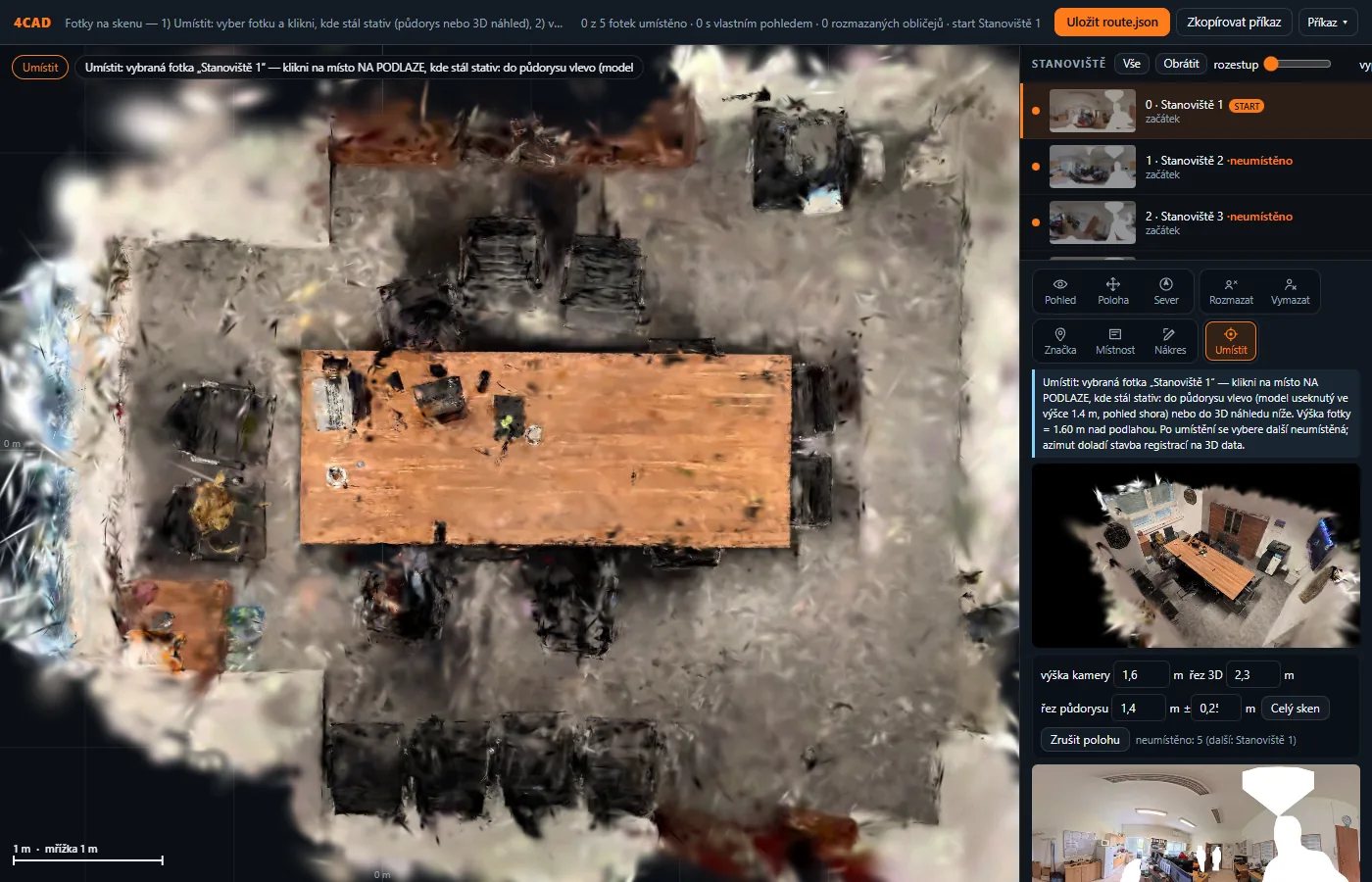
The editor: you place a 360° photo by clicking into the floor plan, the app works out the rest.
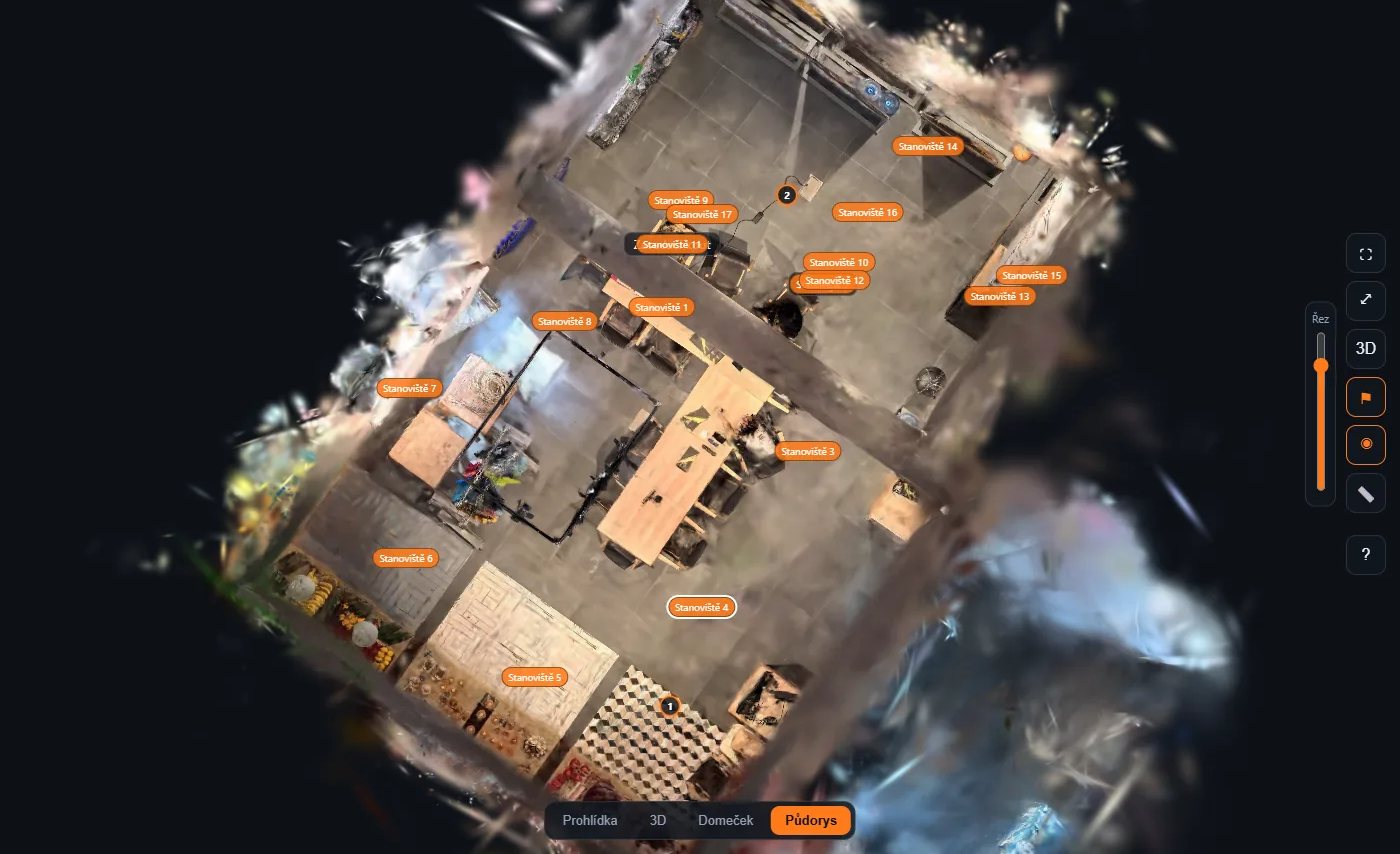
The finished tour in Floor plan mode — the model from above with every position.
One robust offline file prohlidka.html in full quality including the 3D model. It opens from a disk, USB stick or e-mail without internet and does not age.
A lightweight version for the web (3D model up to 30 MB) to embed in your pages through an iframe; it loads on a phone over mobile data too. Hosting with us is included in the plan.
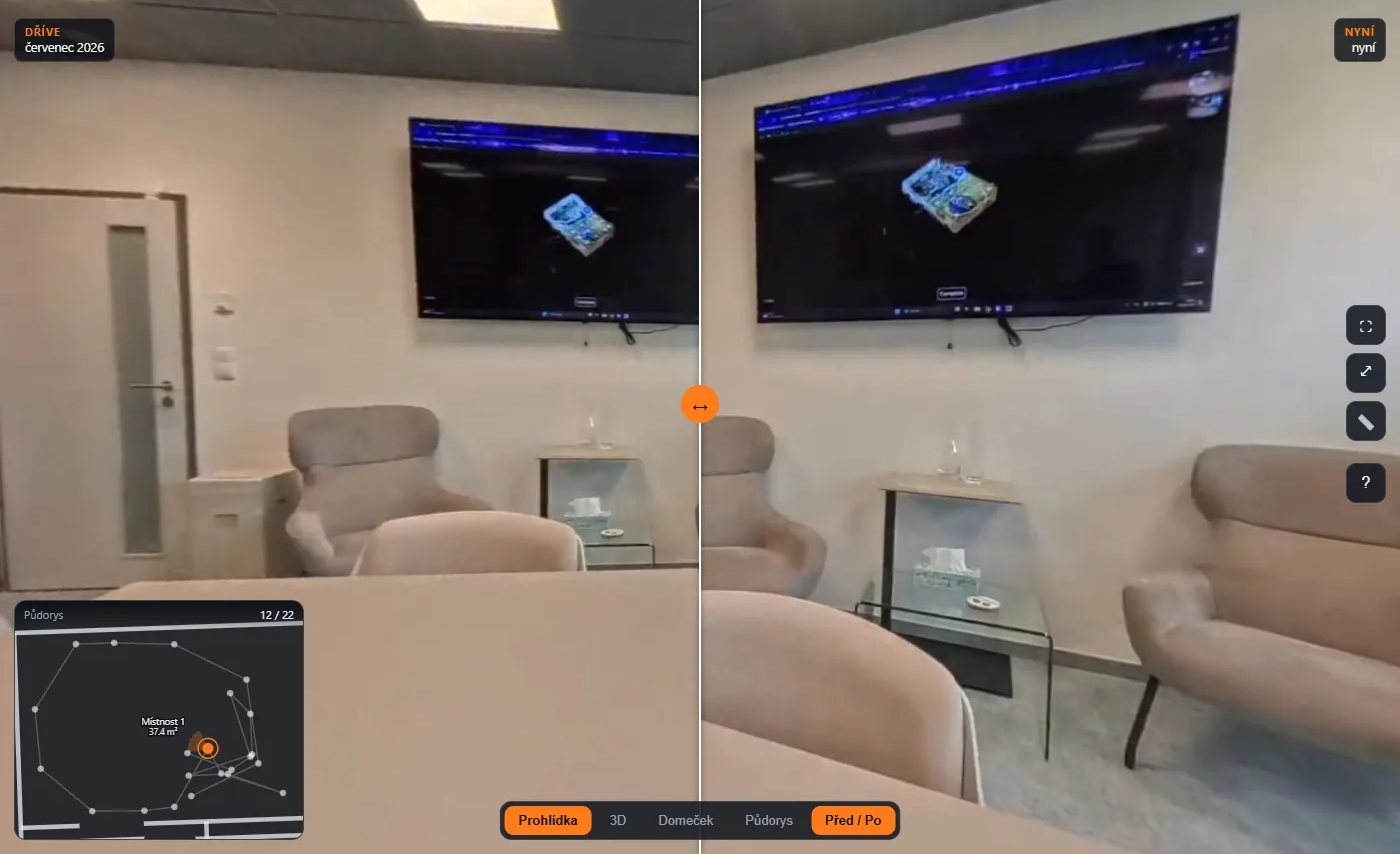
Before / After comparison: the same position on two dates, the slider moves between them.
Prices exclude VAT. Annual payment comes with a 10 % discount.
Add-ons and extensions are ordered in your account. Full pricing at tour.4-cad.cz
30 days free, nothing to install. All you need is data from your scanner and 360° photos — the rest you build in a browser.
Already have an account? Sign in at tour.4-cad.cz
Lukáš Tisoň · 3D scanner sales · +420 735 084 982 · lukas.tison@4-cad.cz