
Cart (
0
)
No items found.
Go to pricingProduct is not available in this quantity.
Six areas where the AI CAD copilot takes over routine work: three features in full production and three in development (R&D). Each comes with a real demo from SOLIDWORKS or Inventor. MecAgent now also lists Drawing-to-CAD – a 3D model from a 2D drawing.
4CAD is an authorised MecAgent partner for the Czech Republic and Slovakia · licences, support and training
In full production
Features designers use in SOLIDWORKS and Inventor every day. Each one tackles a different kind of routine work.
01 / 06 · In production
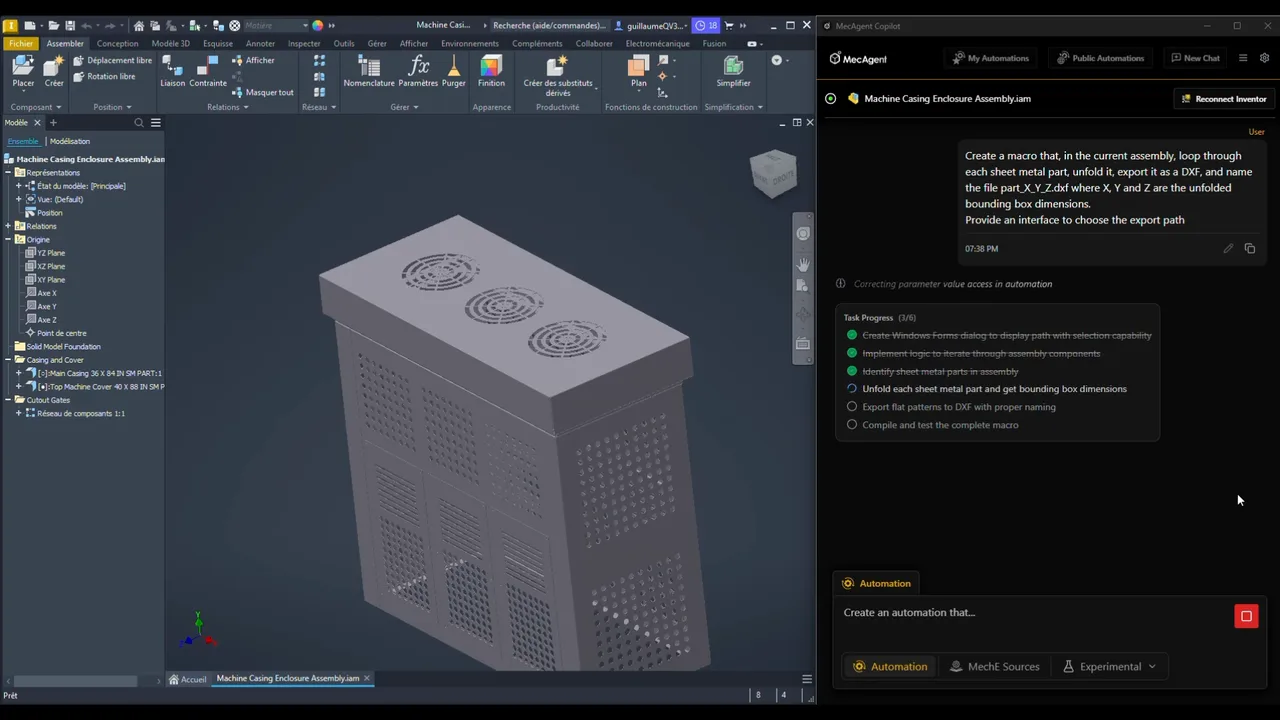
MecAgent creates macros with AI and automates anything in your CAD: functions, bulk exports, specific drawings, appearance, sketching, saving, constraints and standards checks. Save the finished automation as a button.
02 / 06 · In production
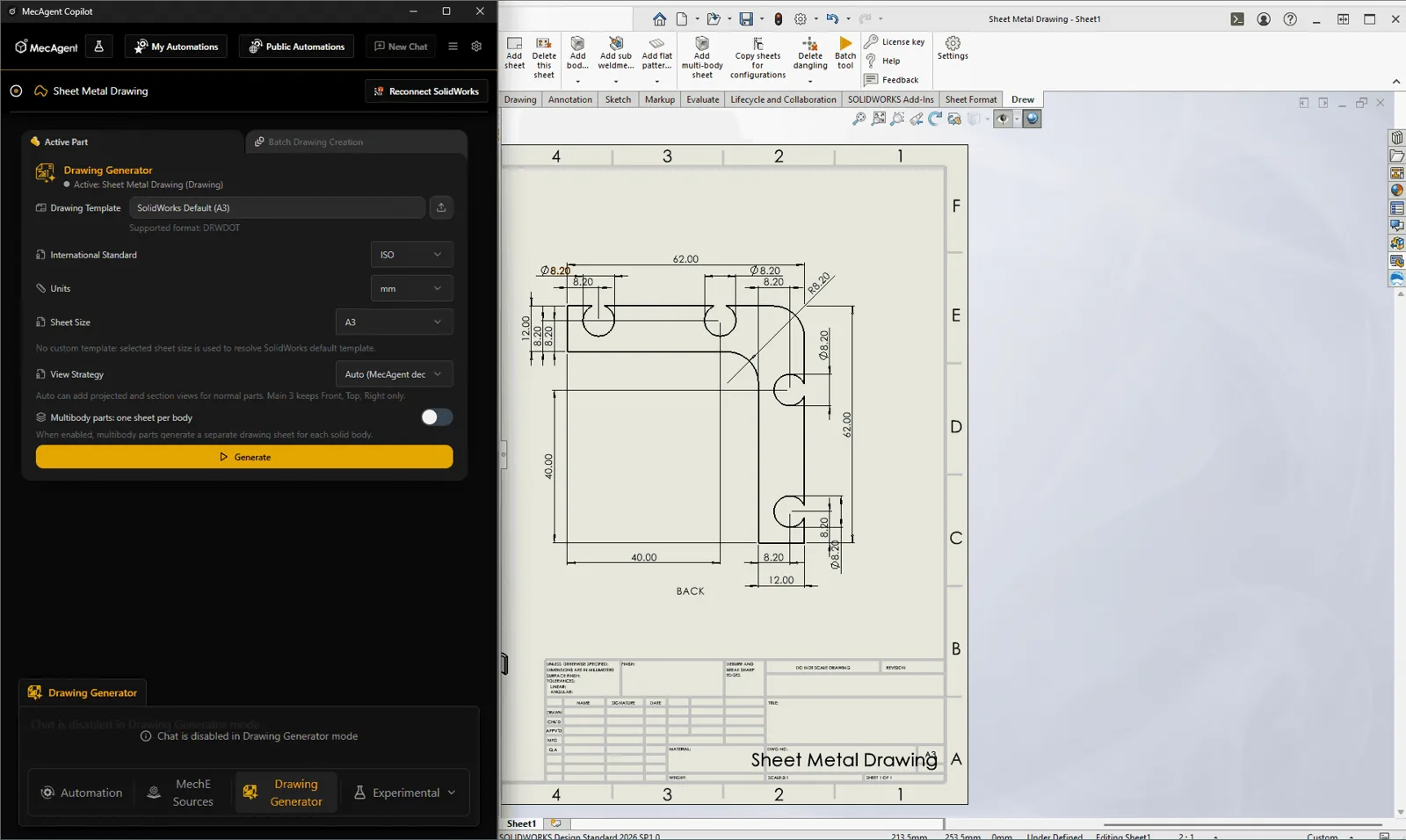
Generates manufacturing drawings directly from your 3D models: automatic views, tables, annotations and standard drawing elements (excluding GD&T and complex company-specific drawings). Complete production drawings including GD&T come from the separate MecAgent Drawings service, priced per drawing.
03 / 06 · In production
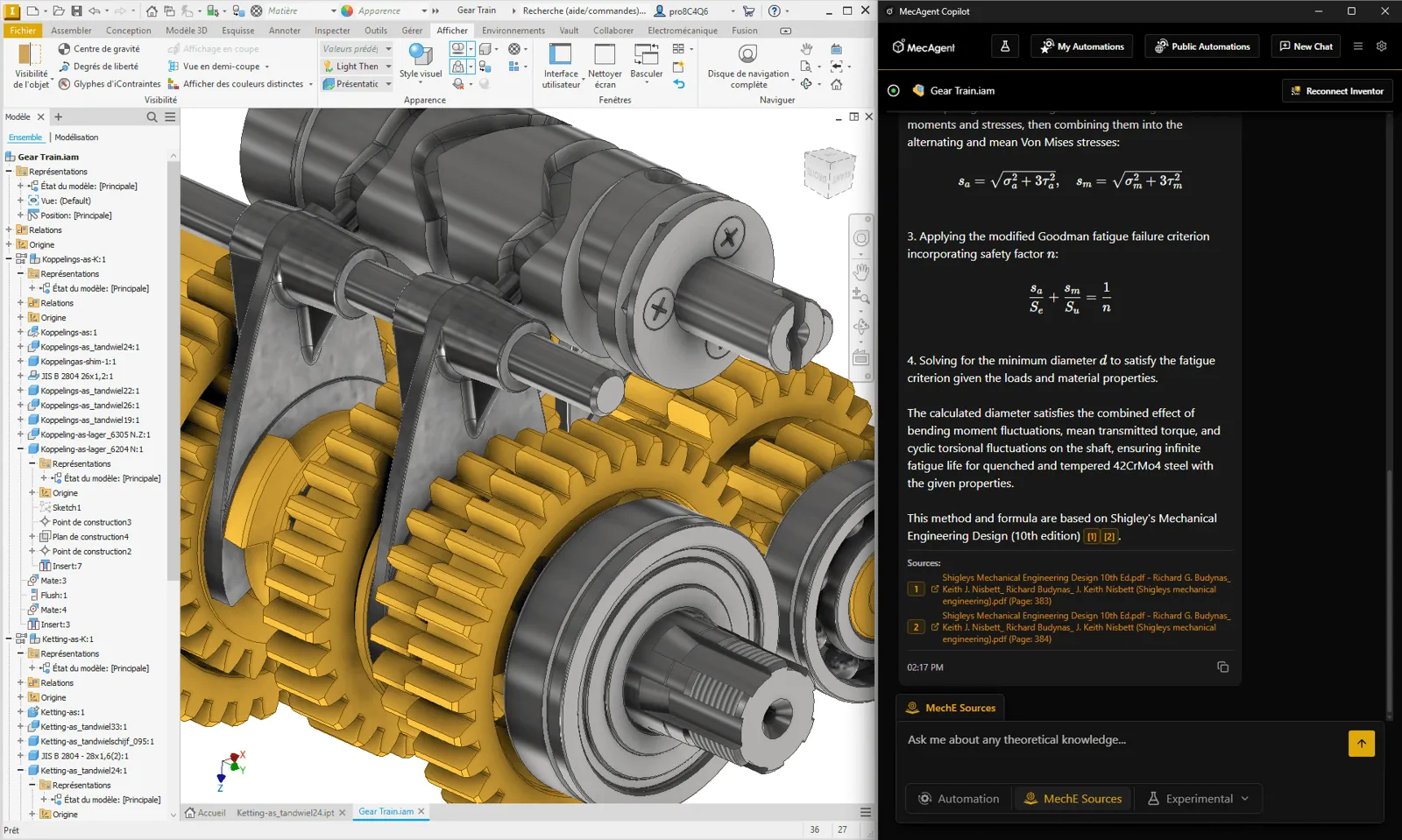
Answers mechanical engineering questions right in your workflow: design guidance, standards, calculations and best practices, always based on verified engineering sources.
Research and development
Features in active development. They already work today and show where AI in CAD is heading.
04 / 06 · R&D
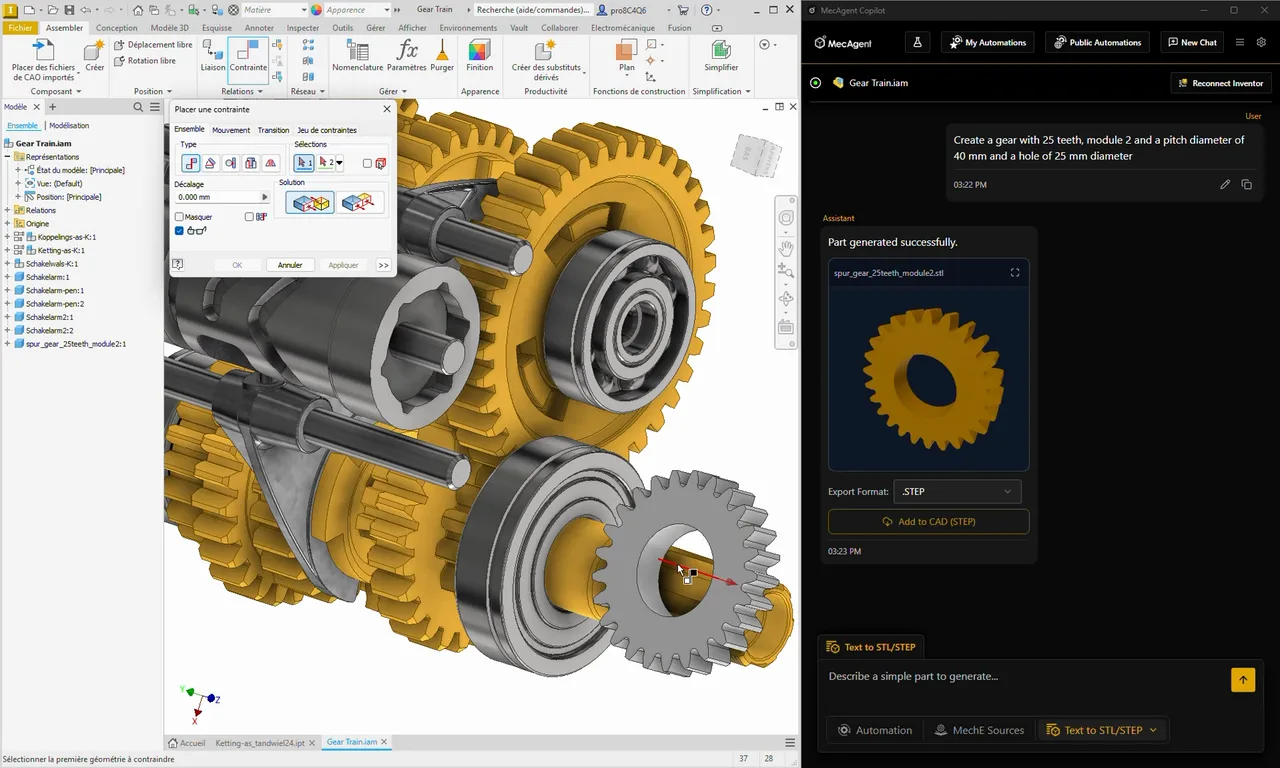
Generates a 3D part from a text description as a STEP or STL file. It handles more complex geometry than the CAD Copilot but has no feature tree – ideal for standard parts such as screws, gears, bearings and spacers.
05 / 06 · R&D
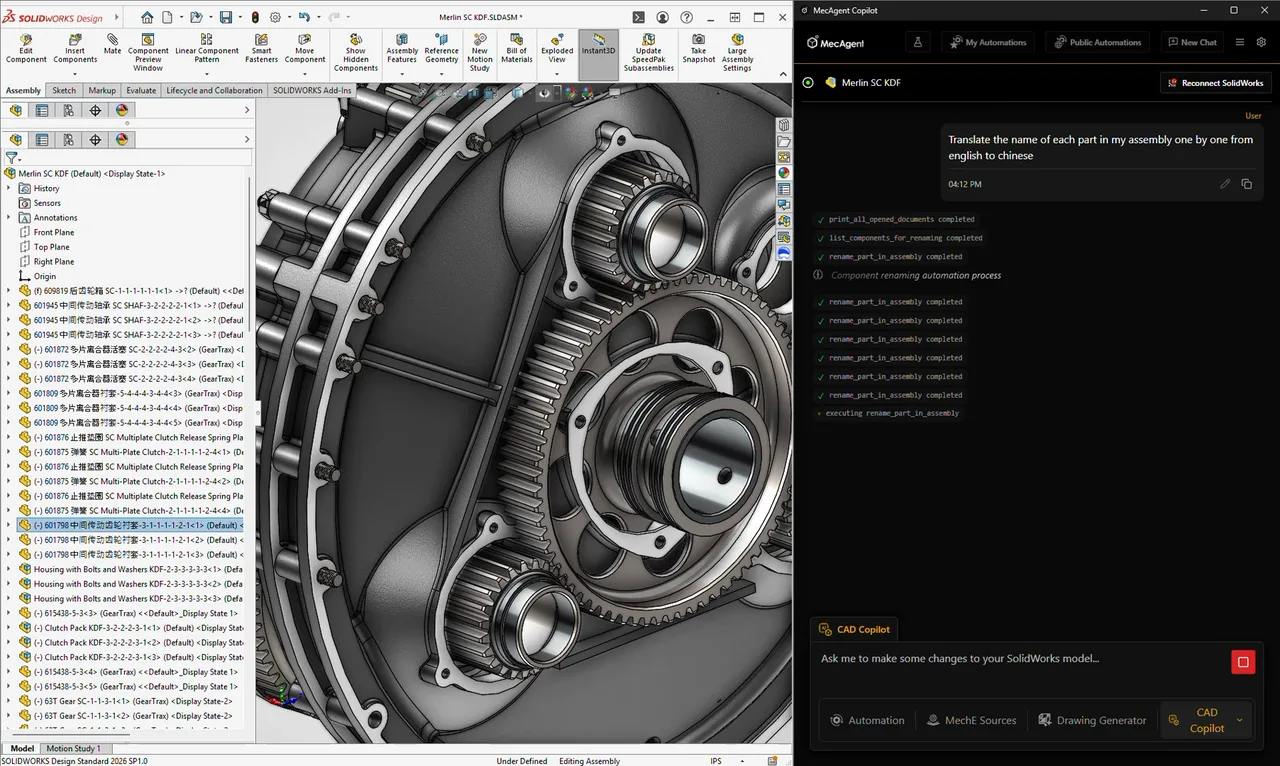
Performs actions right in your CAD: simple text-to-CAD, renaming parts and features, updating properties, applying materials and appearances, translations and access to specific metadata.
06 / 06 · R&D
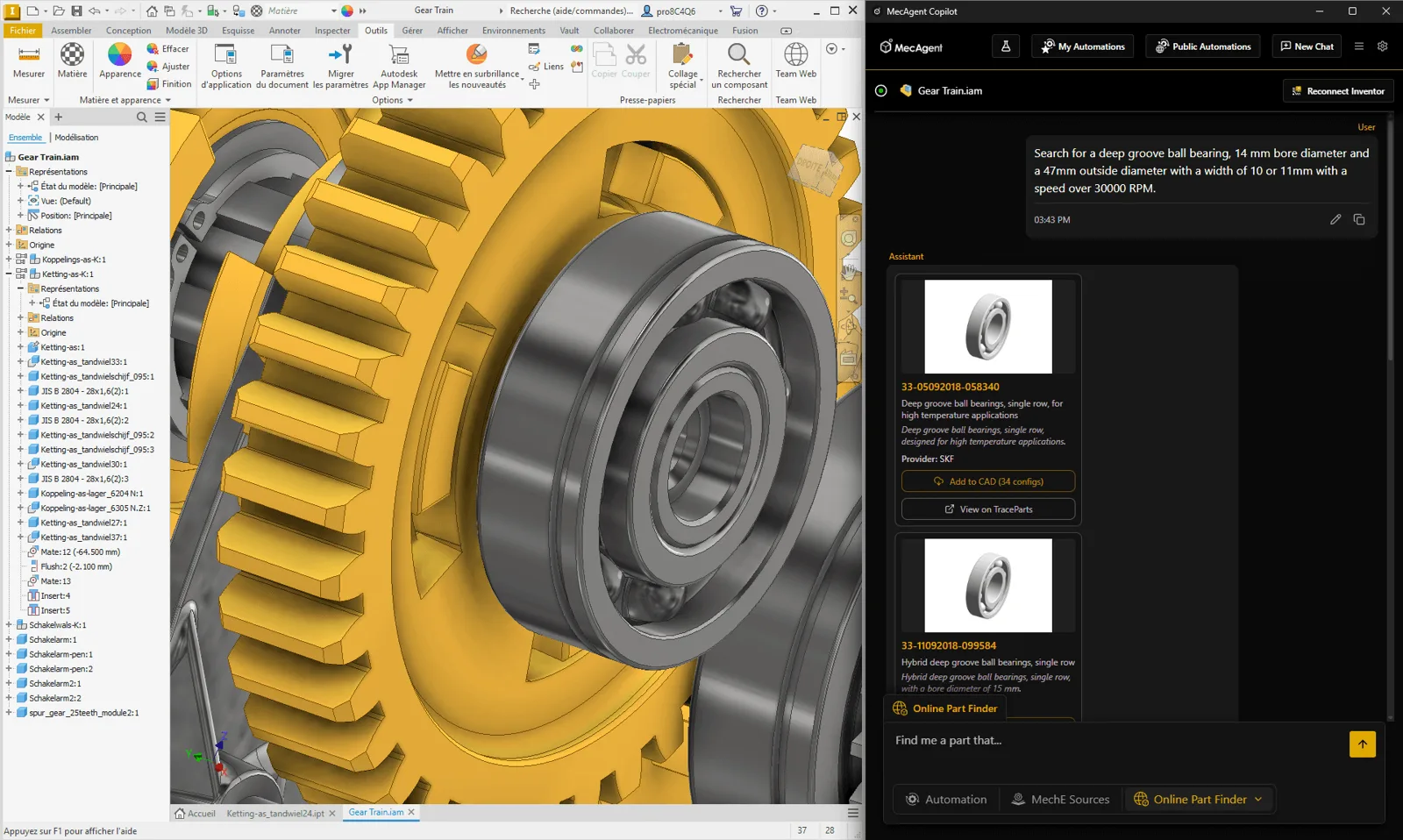
Finds standard catalogue parts from a natural-language description: it identifies components by function or specification and retrieves the matching parts.
We'll show you MecAgent in your CAD and set up the first automation for your typical tasks.
We will be happy to advise you and call you back.
Leave us your contact details and our sales representative will get in touch as soon as possible to explain everything in detail.