When you have a physical part but no drawing, original CAD or production documentation, reverse engineering is usually the fastest way back to an editable model. That is exactly the moment to ask whether QuickSurface is the right tool.
Summary
- QuickSurface makes the most sense when you need to turn a 3D scan, mesh or point cloud into an editable parametric CAD model for SOLIDWORKS, 3D printing or CNC machining.
- It pays off most for undocumented parts, redesigns, spare parts, mold modifications and deviation checks – wherever an STL alone is not enough and you need STEP, IGES or a parametric model history.
- QuickSurface Pro works as a standalone platform supporting STL, OBJ, PLY and PTX, while QuickSurface for SOLIDWORKS is strongest where the team already works directly in SOLIDWORKS and wants to stay in one environment.
- The quality of the result depends mainly on the quality of the input data, correct alignment, sections, the chosen tolerance and a sensible mix of prismatic and freeform surfaces.
- For large construction point clouds, BIM-based building documentation or building records, a different workflow is usually a better fit than reverse modeling in QuickSurface.
So the short answer is yes – but not in every scenario. QuickSurface excels when scanned data has to become a usable CAD model, whereas pure visualization, a simple STL repair or building documentation usually call for a different tool and a different process.
What is QuickSurface actually used for in reverse engineering?
QuickSurface and SOLIDWORKS solve the same practical problem: turning a 3D scan into an editable CAD model. That becomes critical as soon as production needs STEP, IGES or a parametric model rather than a passive STL.
In practice, this usually means a physical part exists but no up-to-date design data does. Typical examples are a spare part for an older machine, a modified casting with no documentation, an ergonomic cover, or a prototype that has proven itself and now needs to move into a standard CAD workflow.
QuickSurface is not just another mesh editor. The point is to extract reference geometry from the mesh or point cloud – sections, curves, alignment, recognized primitive shapes – and build from it a model that can be edited, dimensioned and manufactured.
"QuickSurface for SOLIDWORKS converts 3D scan meshes into CAD models directly inside SOLIDWORKS."
A common misconception is that the software turns everything into a perfect model with a single click. In reality, the biggest value lies in controlled shape reconstruction, where the designer decides what should be an exact plane, what a cylinder, what a freeform surface – and where a deviation is still acceptable.
When does QuickSurface make the most economic sense?
QuickSurface delivers the biggest return on parts where manual modeling is slow and mistakes are expensive – typically in SOLIDWORKS workflows, CNC preparation or spare-part production without the original CAD.
If a designer can measure a component with calipers in an hour and model it in another hour, reverse engineering often makes no sense. But if the part has complex transitions, deformations, organic shapes, wear or undocumented modifications, working directly from the scan is usually faster and more reliable.
What happens downstream matters too. If the output goes to 3D printing, CNC machining or mold repair, an editable CAD model is worth far more than a bare mesh. This is where a tool that exports STEP or IGES and preserves the design logic of the part pays for itself.
A good rule of thumb: if you cannot approve changes, continue the design or prepare production without a parametric model, QuickSurface usually makes sense. If you only need a one-off print of a rough STL model, it may be more than you need.
Which projects is QuickSurface best suited for?
QuickSurface is strongest in projects that combine scanning, shape reconstruction and further CAD work. These six scenarios come up most often.
- Spare parts without documentation: older machines, service parts, worn components and one-off production.
- Redesign of existing products: turning a hand-modified prototype into a parametric model for further development.
- Molds, castings and pressed parts: a mix of prismatic surfaces and freeform transitions where conventional modeling takes a long time.
- Ergonomic and design parts: handles, covers, grips, plastic housings and consumer products.
- Deviation analysis against CAD: comparing reality with the nominal model using a 3D color map.
- Preparing data for production: STEP or IGES export for CAM, CNC or downstream CAD systems.
What matters is not just the industry but the type of input and output. If the input is a scan mesh and the output is a model someone else will keep editing, QuickSurface is a very strong candidate.
What does the workflow from 3D scan to parametric CAD model look like?
A typical QuickSurface workflow has three steps: data preparation, geometry reconstruction and validation of the result. The software makes the most sense when used in exactly this order.
First, the mesh or point cloud is imported, its orientation aligned and the data cleaned up. This includes removing outliers, reducing the data without losing accuracy, filling holes and, if needed, creating a watertight mesh. This is where the usability of all further work is decided: a poorly aligned scan will spoil even high-quality modeling.
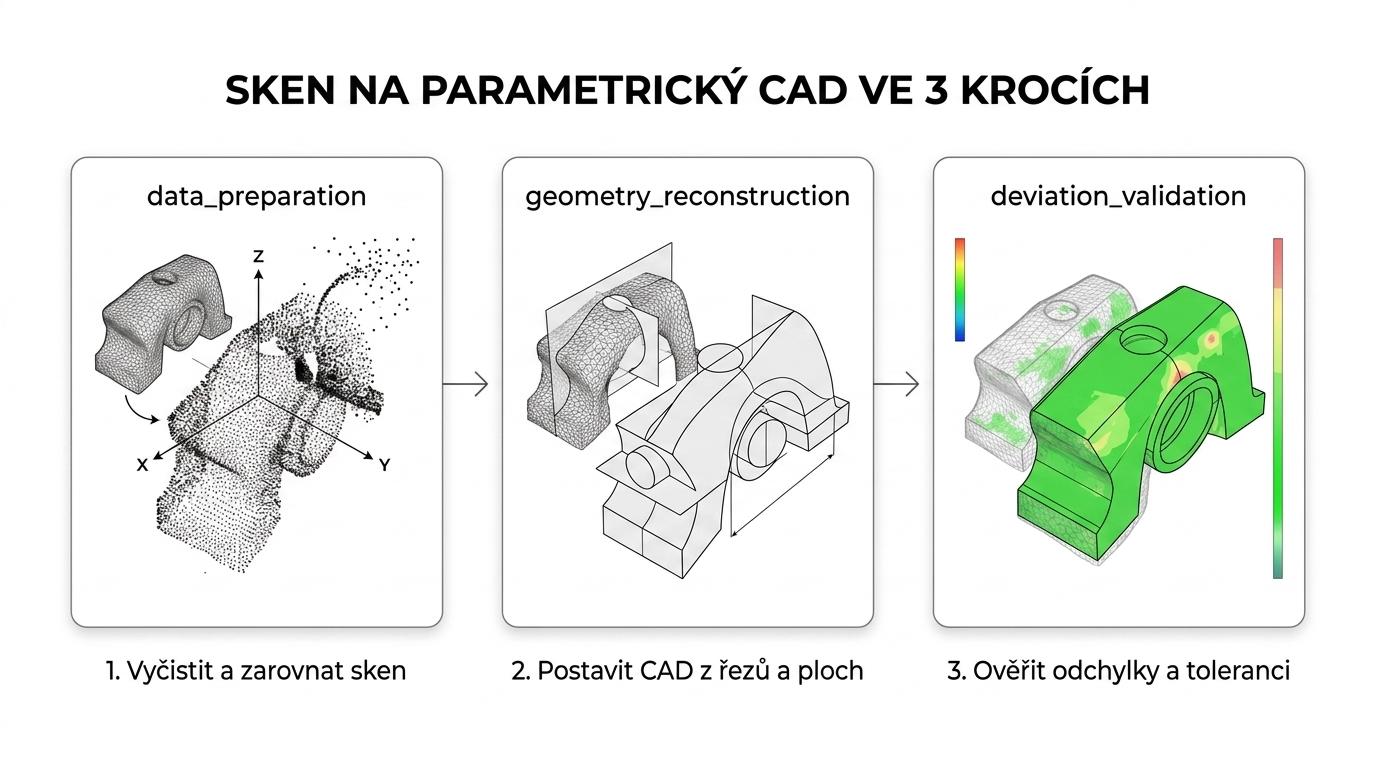
Next comes reconstruction. Basic geometry is created from sections and curves, symmetry planes are defined, planes, cylinders, cones and spheres are recognized, and freeform areas are turned into surfaces. For hybrid parts, it pays to combine parametric features with freeform surfaces rather than forcing everything into a single modeling style.
"According to 4CAD solution, QuickSurface for SOLIDWORKS can import large scan data in a few seconds, not minutes."
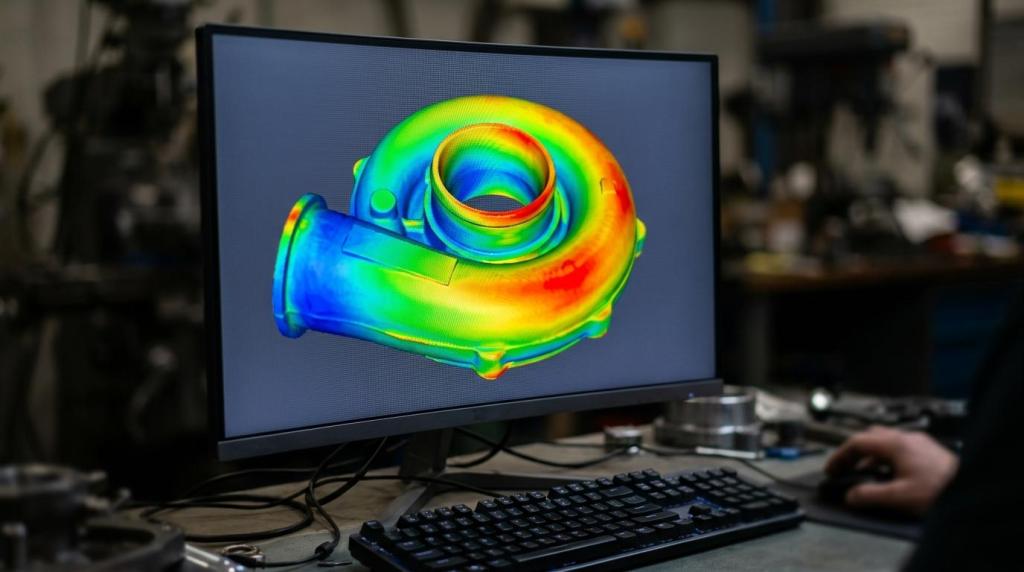
Finally, there is quality control. A color deviation map shows where the model fits and where it exceeds the tolerance. If the part is going into production, the acceptable deviation is set according to the process: a plastic cover for 3D printing tolerates a different deviation than a precisely machined functional surface.
How can you tell whether a mesh or point cloud is good enough for reconstruction?
Good data for QuickSurface needs sufficient coverage, reasonable noise levels and clearly captured geometry in the critical areas. With STL, PLY or PTX files, data stability often matters more than file size.
First, check that the scan really captured all functional features. If edges, transitions, holes or reference surfaces are missing, the software will not invent them. Then check for noise, holes and distortions from scanning. A good mesh does not have to be perfectly smooth, but it must be readable enough for sections and curve reconstruction.
Then look at how resolution relates to purpose. A shape copy of a cover needs a different data density than a sealing face or a mating cone. If the output is a functional machine part, the critical areas must be captured much better than the rest.
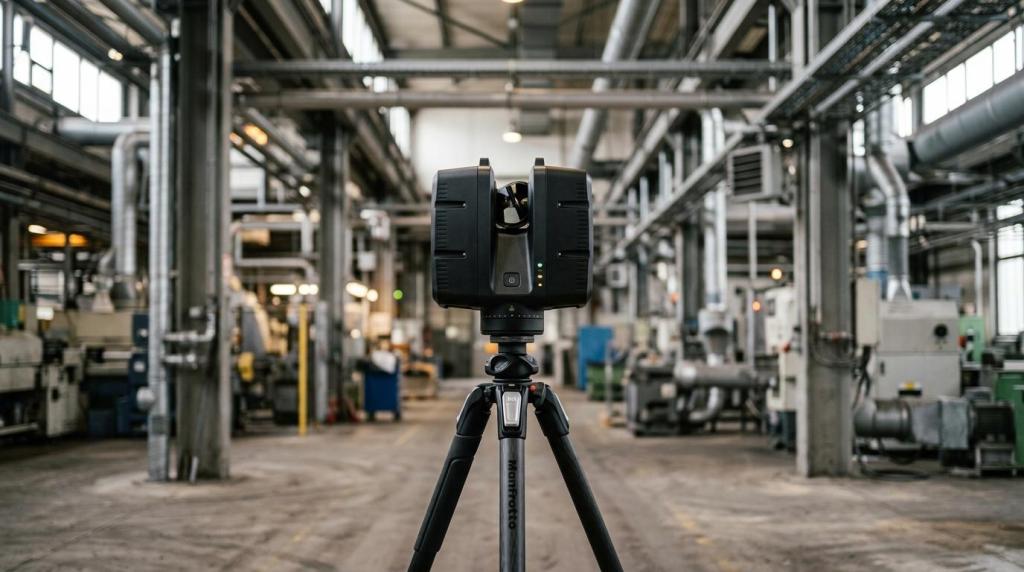
This is where a common misunderstanding between construction and engineering scanning arises. SLAM LiDAR scanners such as the Geomate GS60, Trion P2 or Trion S2 are excellent for buildings, halls and building documentation, but for small precision parts they usually cannot deliver the data detail that reverse modeling of machine components requires. For mechanical parts, choose the scanner based on the required tolerance, not on data capture speed.
When is QuickSurface better than manual modeling in SOLIDWORKS or AutoCAD?
QuickSurface beats manual modeling mainly for complex shapes and incomplete documentation. SOLIDWORKS or AutoCAD are faster where the geometry is easy to measure and the shape is simple.
For a prismatic part with a few holes, pockets and clear dimensions, modeling it directly is usually cheaper. The design logic is obvious and a scan would only add an extra step. But if the component carries deformation from service, manual modifications, freeform surfaces or asymmetry, the scan captures a reality that a hand sketch cannot.
The way of working differs as well. QuickSurface builds the model from reality and you extract the design intent from it. Manual CAD modeling, by contrast, assumes you already know the design intent. When you don't, reverse engineering saves both time and errors.
The practical advice is simple. If the team keeps going back to measure, argues over curvatures or corrects the shape based on further physical samples, that is a strong signal to deploy QuickSurface. Related CAD procedures and design automation can then be addressed alongside the topics covered on Techcad.cz.
How do QuickSurface Pro and QuickSurface for SOLIDWORKS differ?
QuickSurface Pro is a standalone platform, while QuickSurface for SOLIDWORKS is a native add-in. The choice depends mainly on whether you want to work inside SOLIDWORKS or independently of it.
QuickSurface Pro makes sense where you need a universal workstation for importing STL, OBJ, PLY or PTX, cleaning data, de-featuring, creating surfaces and exporting to STEP and IGES. It also suits environments where CAD comes in later or where several systems are used side by side.
The SOLIDWORKS version shines in integration. If the design team already does everything in SOLIDWORKS, it pays to stay in one environment, use existing references and instantly compare the CAD model with the scan via a 3D color map. That reduces switching between applications and makes revisions clearer.
"SOLIDWORKS states that QuickSurface for SOLIDWORKS also handles meshes with millions of triangles."
A common misconception is that the standalone version is always more advanced and the integrated one merely a lightweight add-in. In reality, the process is what decides. If design, changes and approvals already run in SOLIDWORKS, the add-in is often more practical than a separate application.
How does QuickSurface handle organic and hybrid shapes?
QuickSurface is particularly strong with hybrid models, where precise geometry meets freeform surfaces. That is typical for castings, plastic covers, ergonomic parts and hand-modified prototypes.
The official descriptions use terms such as hybrid parametric models or automatic free form surfacing. In practice, this means the software can combine recognized primitive shapes with freeform surfaces so that the model remains usable for further design work. It is not just about wrapping the mesh in a skin, but about splitting the component logically by function.
"According to 4CAD solution, QuickSurface Pro supports STL, OBJ, PLY and PTX and exports both STEP and IGES."
It is important not to force every surface into an ideal NURBS just because it sounds technically correct. For some parts, it is better to keep simple reference shapes and use freeform surfaces only for the critical transitions. The result is usually a smaller model, better editability and less risk of the CAD model falling apart during the next change.
How do you use the deviation color map, sections and symmetry without unnecessary errors?
Sections, the symmetry plane and the 3D color map are key QuickSurface tools for accurate reconstruction. The biggest errors do not occur during modeling, but from a poorly chosen reference frame.
First, determine what the real reference basis of the part is. For a functional component, that is usually a mating face, a hole axis, a cylinder center or a symmetry plane. Only then take sections and extract curves. If you start from an arbitrarily rotated scan, deviations will look bigger than they really are.
Then use the deviation color map as a decision-making tool, not as decoration. If the map shows local errors only outside the functional surfaces, that need not be a problem. But if the tolerance is exceeded right in the mating area, you need to adjust the geometry or go back to the input data.
A practical tip is to stick to simple logic. If the part is symmetrical, define the symmetry as early as possible. If it is asymmetrical or deformed by use, don't try to straighten it at all costs. Otherwise you will unintentionally build an assumption into the model instead of reality.
When is QuickSurface not the best choice?
QuickSurface is not a universal solution for every 3D scan. It adds the least value where you do not need an editable CAD model, or where the main goal is to record a space rather than reconstruct a part.
The first typical case is a simple 3D print from a single STL where you only need to repair the mesh. The second is a large point cloud of a building, process hall or industrial site. There, the goal is rather building documentation, BIM, trade coordination or facility management. For such workflows, construction laser scanners and point cloud and BIM tools are usually a better fit than reverse modeling in QuickSurface.
The same applies to building operations and VTZ (designated technical equipment under Czech regulations). If you are handling documentation under Czech Act No. 250/2021 Coll., recording building services equipment, inspections and operating documentation, what you primarily need is a reliable inventory, equipment locations and a link to building management. In that situation, a workflow based on LiDAR data, a building passport and BIM records makes more sense than converting every element into a parametric mechanical model.
What questions should you ask before buying or running a pilot project?
The best decision starts with five or six specific questions. QuickSurface, SOLIDWORKS and the scanning workflow must match the goal, not just technical enthusiasm.
Before launching a pilot, clarify whether you are addressing a one-off need or a recurring process across design, service and production. Repeatability is often what decides whether the license pays for itself quickly or ends up used only occasionally.
- What is the output: do you need an STL for printing, or STEP or IGES for production and further design changes?
- What is the tolerance: is it a design cover, or functional surfaces for assembly, sealing and machining?
- What is the input scanner: are you working with data for small precision parts, or with point clouds from larger SLAM LiDAR surveys?
- Where will the model live next: will the workflow stay in SOLIDWORKS, or do you need an independent platform?
- How much does manual modeling cost: is your current approach really cheaper, or just a habit?
- Who will decide on the geometry: do you have someone who understands both scans and the design logic of the part?
If you answer these questions up front, you will quickly see whether QuickSurface Pro, the SOLIDWORKS version or an entirely different type of 3D workflow suits you best.